How do I configure GSA-compliant non-taxable lodging and meal stipends?
Configure tax-free lodging, meals, and incidentals (M&IE) per diem stipends for travel nurse contracts in accordance with GSA locality rates.
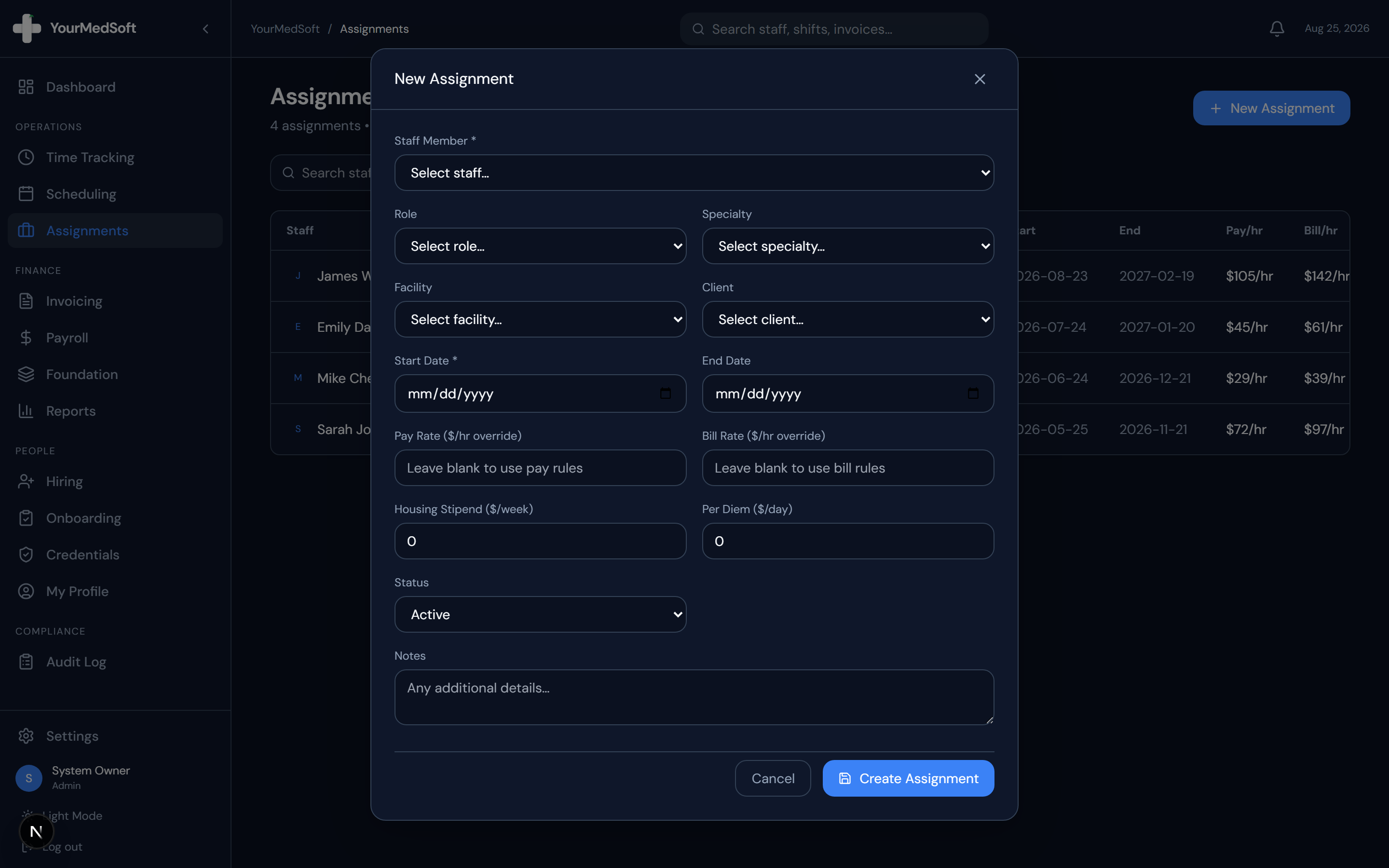
To configure travel nurse stipends in YourMedSoft, open the Contract Assignment builder, check Include Travel Stipend, input non-taxable weekly housing and meal allowances based on GSA locality rates, and ensure the clinician maintains a qualified permanent tax home on file.
What You Need Before Starting
- Clinician must have signed a permanent tax home declaration.
- Placement facility must be located outside the clinician’s commuting radius (typically 50+ miles).
Clinical & Regulatory Compliance Standards
- Complies with IRS Revenue Procedure 2011-47 and General Services Administration (GSA) per diem regulations.
Step-by-Step Instructions
Open Contract Compensation Drawer
In Assignments > Create Contract, scroll to the "Compensation Package" section.
Split Taxable Hourly Wage vs. Non-Taxable Stipend
Enter the taxable base hourly wage (e.g. $25/hr) and weekly non-taxable stipend (e.g. $1,400/week).
Automate Your Healthcare Staffing Operations
YourMedSoft unifies scheduling, GPS time tracking, credentialing, and facility invoicing into one modern platform for healthcare agencies.
Verify GSA Locality Maximums
Check that the combined housing and M&IE stipend does not exceed maximum federal GSA rates for the facility zip code.
Attach Tax Home Verification Declaration
Upload the clinician’s signed tax home questionnaire and driver’s license proof to the contract file.
Save and Lock Compensation Package
Click "Activate Contract". Payroll will automatically disburse stipends as non-taxable reimbursements.
Pro-Tips & Best Practices
- If a travel nurse misses scheduled shifts without making them up, stipends must be pro-rated to prevent IRS tax audits.
Troubleshooting & Operational Edge Cases
Issue: Payroll processor applies tax withholding to stipend
Operational Resolution: Ensure the stipend line item is mapped to the Non-Taxable Reimbursement code in your Gusto/ADP export settings.
Frequently Asked Questions & Troubleshooting
What happens to the stipend if a nurse calls out of a shift?
YourMedSoft allows you to configure automatic daily stipend pro-ration (e.g. 1/3 of weekly stipend deducted for each missed 12-hour shift).
Was this guide helpful?
Your feedback helps us continuously improve our documentation.
Recommended for Payroll & Deductions
Nurse Meal Break Waiver & Attestation Form
Ensure compliance with state labor laws and prevent unbudgeted meal penalty hours.
Gross Margin & Spread Modeler
Calculate exact employer statutory taxes, FICA, FUTA, SUTA, and workers comp burden.
Per Diem Nurse Registry Platform
Automate shift differentials, overtime calculations, and CSV exports for payroll engines.