
How do I add clients and configure payment terms?
Set up client parent companies, billing email addresses, net payment terms (Net 15 to Net 90), and bulk CSV import for automated invoicing.
In YourMedSoft, to add clients and configure payment terms requires navigating to Foundation Setup in the portal, selecting the appropriate record or facility, and executing the validated workflow steps. The platform continuously validates clinical credentials, checks compliance matrices, and logs all actions to an immutable audit trail.
What You Need Before Starting
- Admin role permissions.
Clinical & Regulatory Compliance Standards
- Conforms to The Joint Commission (HCSS) clinical staffing standards.
- Maintains HIPAA-compliant data encryption and audit logging.
- Enforces state Board of Nursing licensure and clinical scope-of-practice rules.
Step-by-Step Instructions
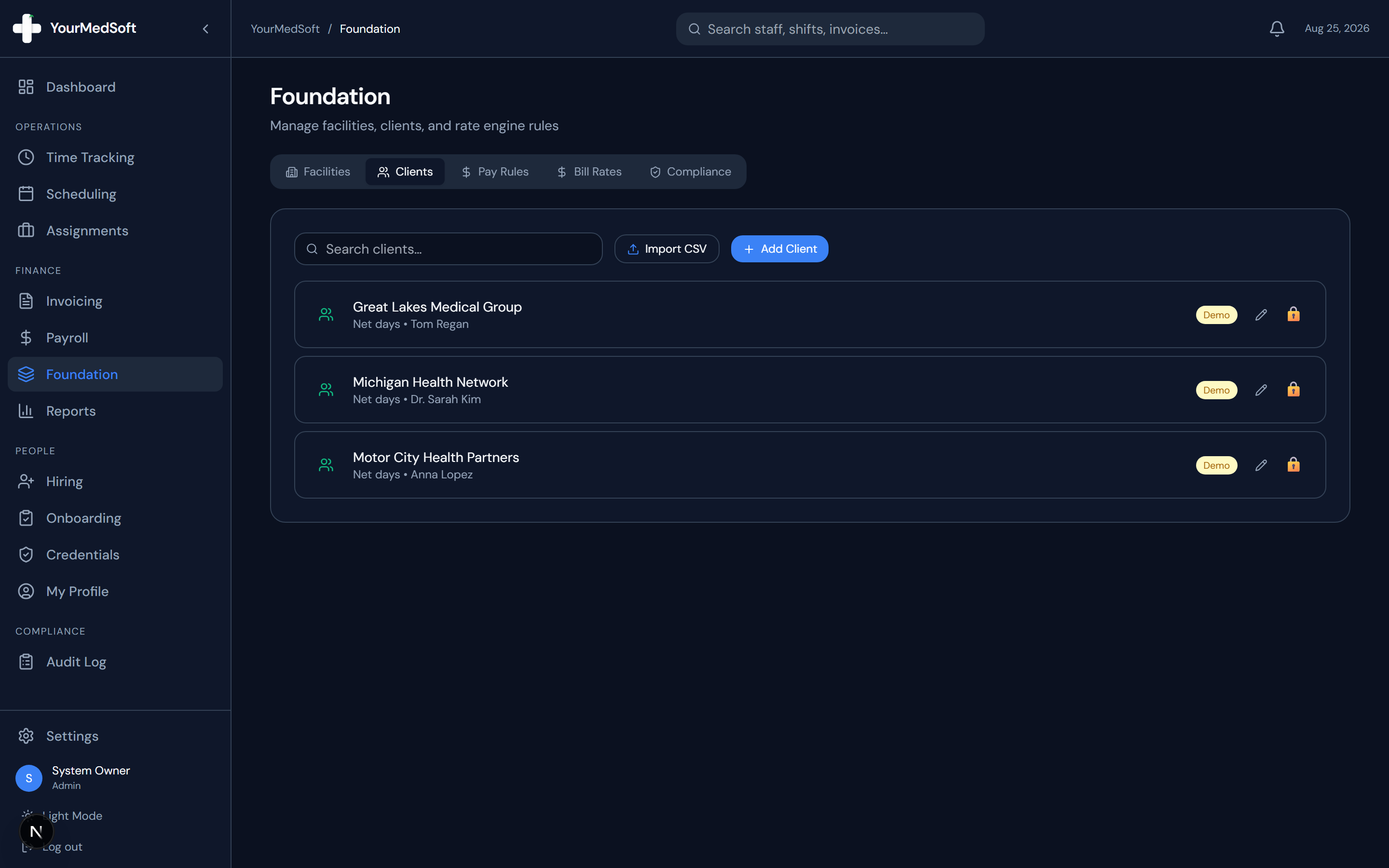
Open Foundation Clients Tab
In the Foundation module, click the "Clients" tab.
Click Add Client or Import CSV
Click "+ Add Client" to create an individual billing record or "Import CSV" to batch-upload client accounts.
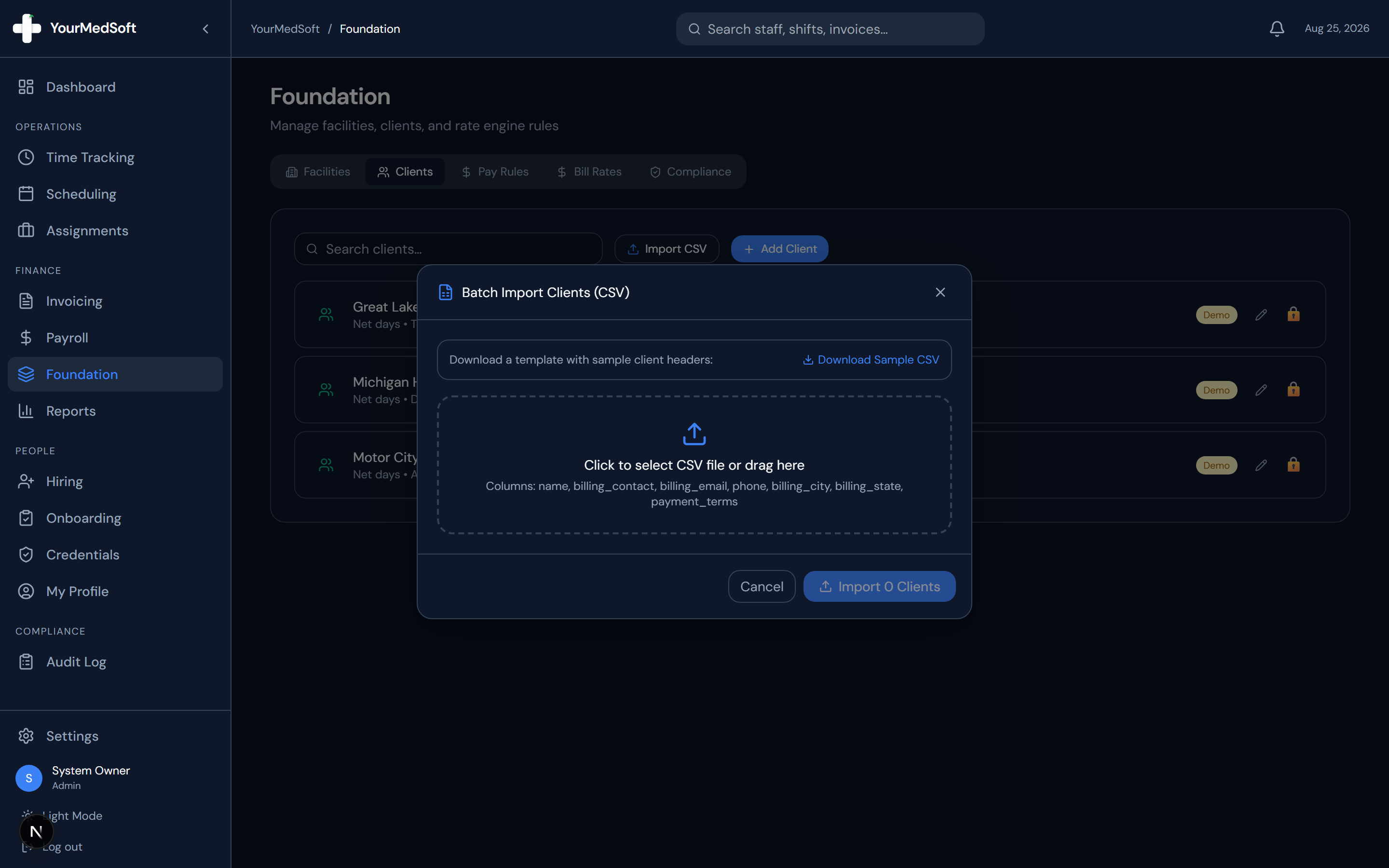
Batch Import Clients modal for instant bulk upload of client billing profiles.
Automate Your Healthcare Staffing Operations
YourMedSoft unifies scheduling, GPS time tracking, credentialing, and facility invoicing into one modern platform for healthcare agencies.
Enter Billing & Contact Information
Enter the Client Name, Billing Email, Billing City/State, Contact Name, and Phone.
Select Net Payment Terms
Choose the agreed payment window from the Net Days dropdown (Net 15, Net 30, Net 45, Net 60, or Net 90).
Save Client
Click "Save". When creating invoices for this client, the due date and billing address are now automatically calculated based on these terms.
Pro-Tips & Best Practices
- A single client (such as a regional health network) can oversee multiple physical facilities.
Troubleshooting & Operational Edge Cases
Issue: Assignment or Action Blocked
Operational Resolution: Verify that all prerequisites and credential requirements are satisfied before requesting an Admin override.
Issue: Notification or Alert Delay
Operational Resolution: Check the clinician profile contact details to ensure SMS and email alert preferences are enabled.
Frequently Asked Questions & Troubleshooting
How do net payment terms affect invoices?
When you select this client in the Invoice Builder, the invoice Due Date automatically defaults to exactly the number of net days from the issue date.
Was this guide helpful?
Your feedback helps us continuously improve our documentation.
Recommended for Foundation Setup
Healthcare Facility Master Services Agreement (MSA)
Establish legal protections, billing schedules, and liability thresholds for client accounts.
Gross Margin & Spread Modeler
Determine sustainable bill-to-pay margin floors before entering facility rate negotiations.
Travel Nursing Agency Software
Configure complex multi-facility structures, campus cost centers, and customized rate sheets.