
How do I customize agency branding and active healthcare verticals?
Upload your agency logo, set timezones, and enable industry vertical widgets (Travel Nurse, Home Health, Locums, Float Pool, LTC/SNF, Therapy, Urgent Care, Behavioral Health, Telehealth).
In YourMedSoft, to customize agency branding and active healthcare verticals requires navigating to Administration & Roles in the portal, selecting the appropriate record or facility, and executing the validated workflow steps. The platform continuously validates clinical credentials, checks compliance matrices, and logs all actions to an immutable audit trail.
What You Need Before Starting
- Organization Admin permissions.
Clinical & Regulatory Compliance Standards
- Conforms to The Joint Commission (HCSS) clinical staffing standards.
- Maintains HIPAA-compliant data encryption and audit logging.
- Enforces state Board of Nursing licensure and clinical scope-of-practice rules.
Step-by-Step Instructions
Open Organization Settings
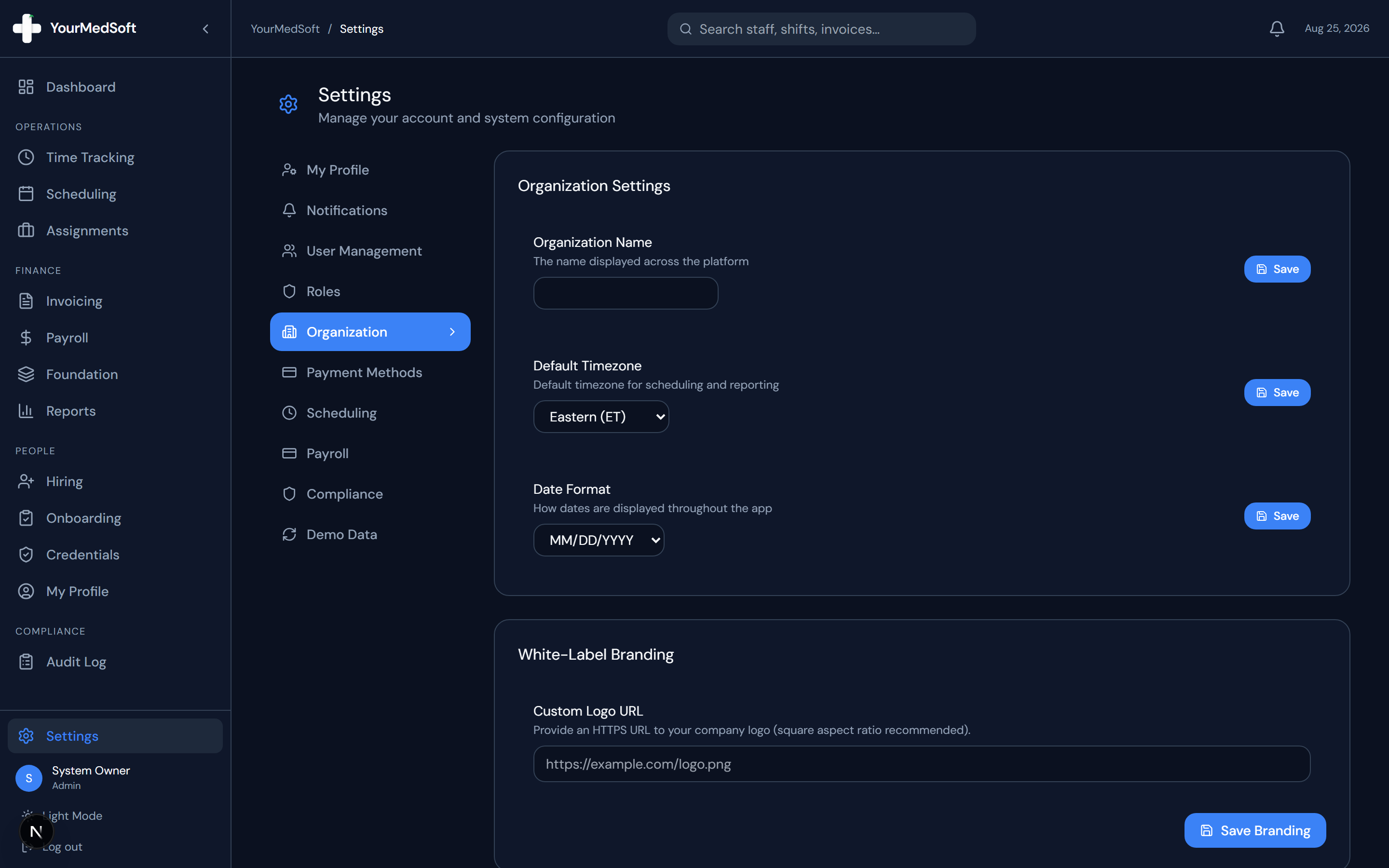
Go to Settings > Organization tab.
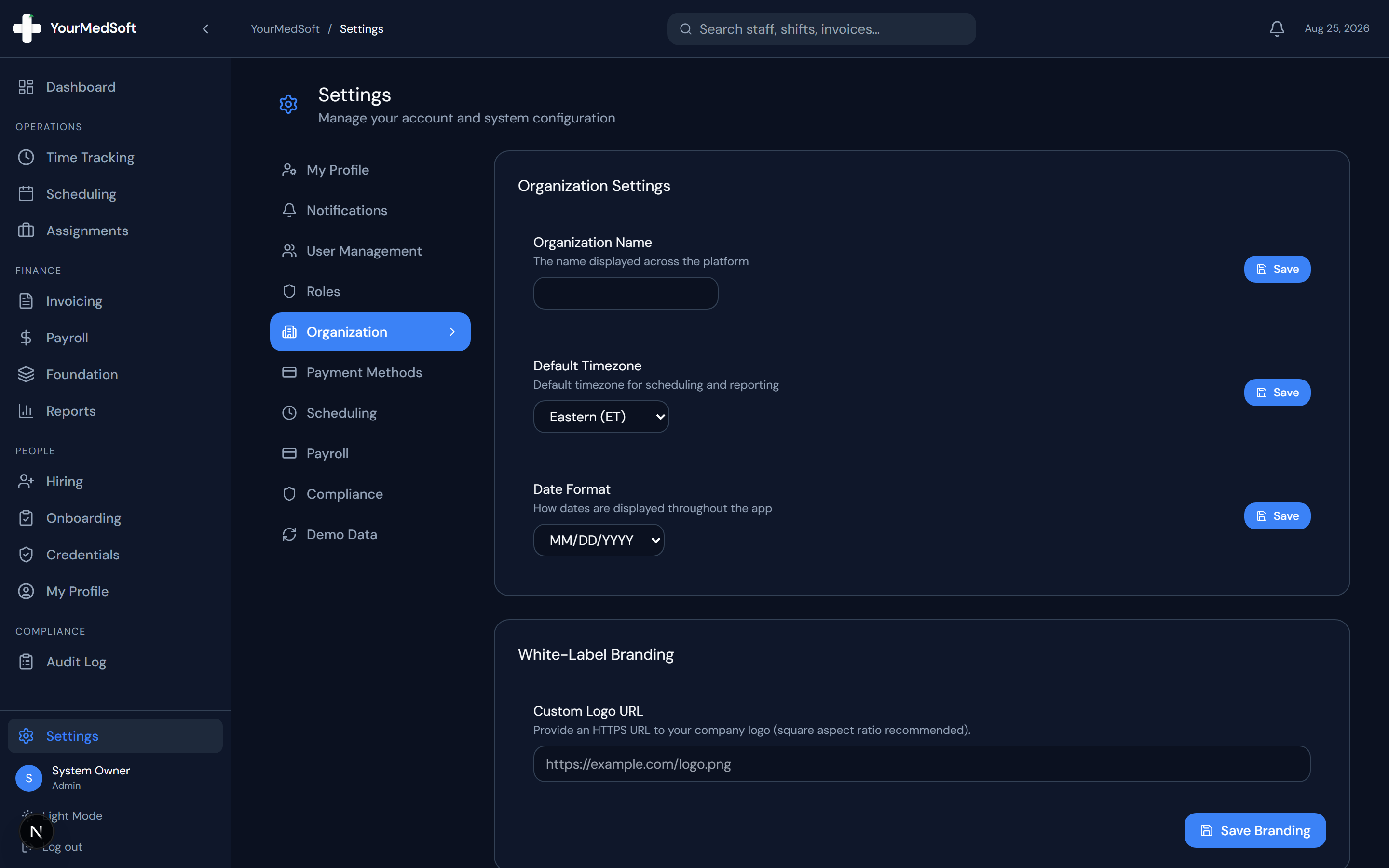
Organization settings with agency logo, timezones, and active healthcare vertical selectors.
Upload Agency Logo
Under Branding Settings, upload your agency logo (PNG or SVG). This logo appears in the top navigation bar, public job boards, and printed audit reports.
Automate Your Healthcare Staffing Operations
YourMedSoft unifies scheduling, GPS time tracking, credentialing, and facility invoicing into one modern platform for healthcare agencies.
Set Timezone and Date Formats
Select your primary operational timezone (e.g., America/New_York) and preferred date formatting.
Enable Healthcare Verticals
In the "Active Verticals" switcher, toggle the sectors your agency serves (e.g., Travel Nurse, Home Health, Long-Term Care, Therapy, Behavioral Health).
Save Settings
Click "Save". Your Operations Dashboard immediately reconfigures to display live specialized KPI widgets for each enabled vertical.
Pro-Tips & Best Practices
- Enabling only your relevant verticals keeps your dashboard clean and focused on your core staffing lines.
Troubleshooting & Operational Edge Cases
Issue: Assignment or Action Blocked
Operational Resolution: Verify that all prerequisites and credential requirements are satisfied before requesting an Admin override.
Issue: Notification or Alert Delay
Operational Resolution: Check the clinician profile contact details to ensure SMS and email alert preferences are enabled.
Frequently Asked Questions & Troubleshooting
Can we expand into new verticals later?
Yes. You can toggle additional vertical markets on or off at any time without affecting existing data.
Was this guide helpful?
Your feedback helps us continuously improve our documentation.
Recommended for Administration & Roles
Healthcare Facility Master Services Agreement (MSA)
Attorney-reviewed contract covering HIPAA data security, indemnification, and compliance.
41+ State eNLC Compact License Map
Compact nursing license verification reference for clinical compliance directors.
Per Diem Registry Platform
Role-based access controls, immutable audit logging, and automated compliance gates.