
How do I create job postings and manage the public job board?
Publish clinical openings to your agency’s public branded careers board and collect candidate applications.
In YourMedSoft, to create job postings and manage the public job board requires navigating to Hiring & Job Board in the portal, selecting the appropriate record or facility, and executing the validated workflow steps. The platform continuously validates clinical credentials, checks compliance matrices, and logs all actions to an immutable audit trail.
What You Need Before Starting
- Admin or Manager role in YourMedSoft.
Clinical & Regulatory Compliance Standards
- Conforms to The Joint Commission (HCSS) clinical staffing standards.
- Maintains HIPAA-compliant data encryption and audit logging.
- Enforces state Board of Nursing licensure and clinical scope-of-practice rules.
Step-by-Step Instructions
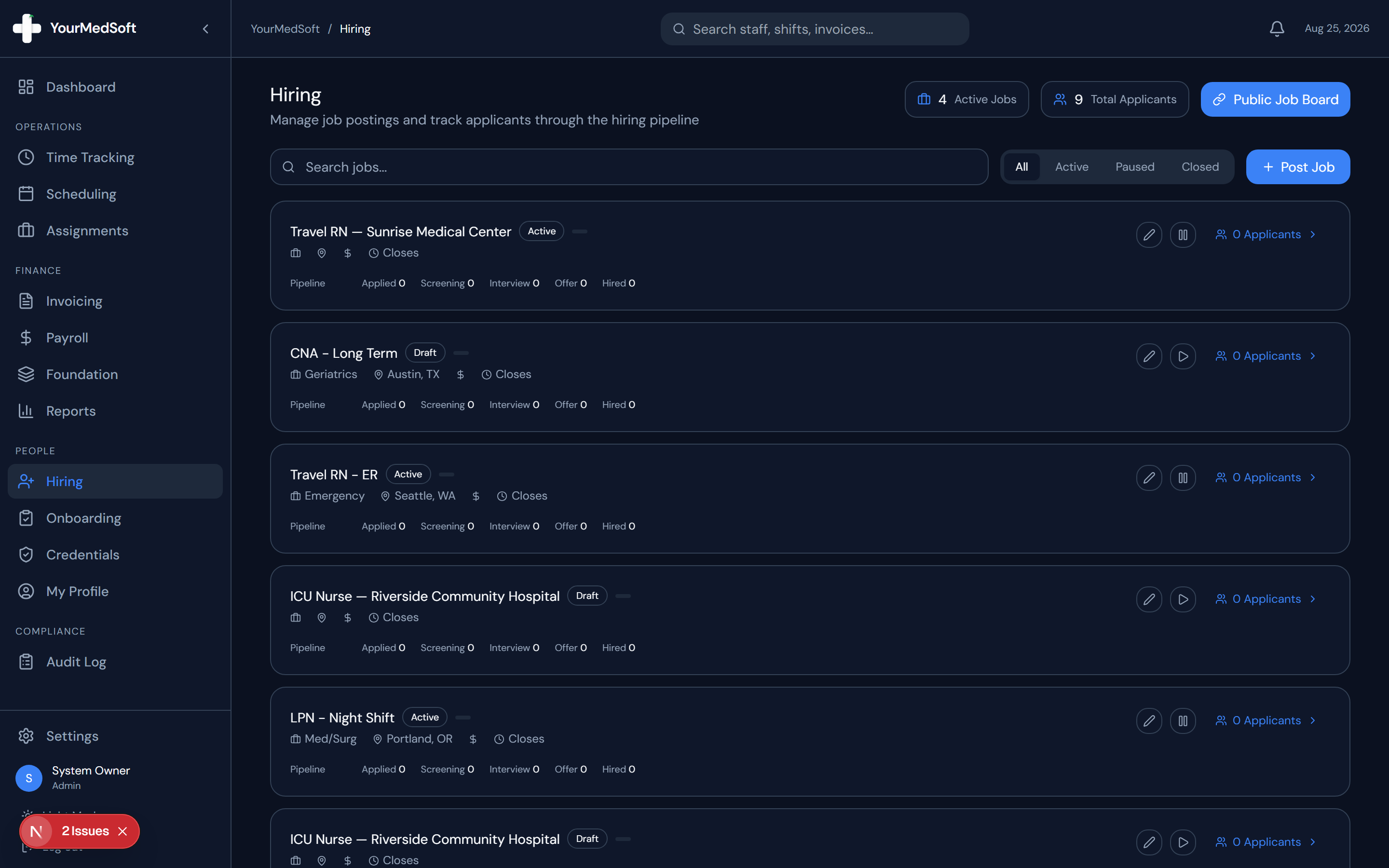
Navigate to Hiring
Click "Hiring" in the left sidebar to open the hiring and recruitment module.
Click Post New Job
Click the "+ Post New Job" button in the header.
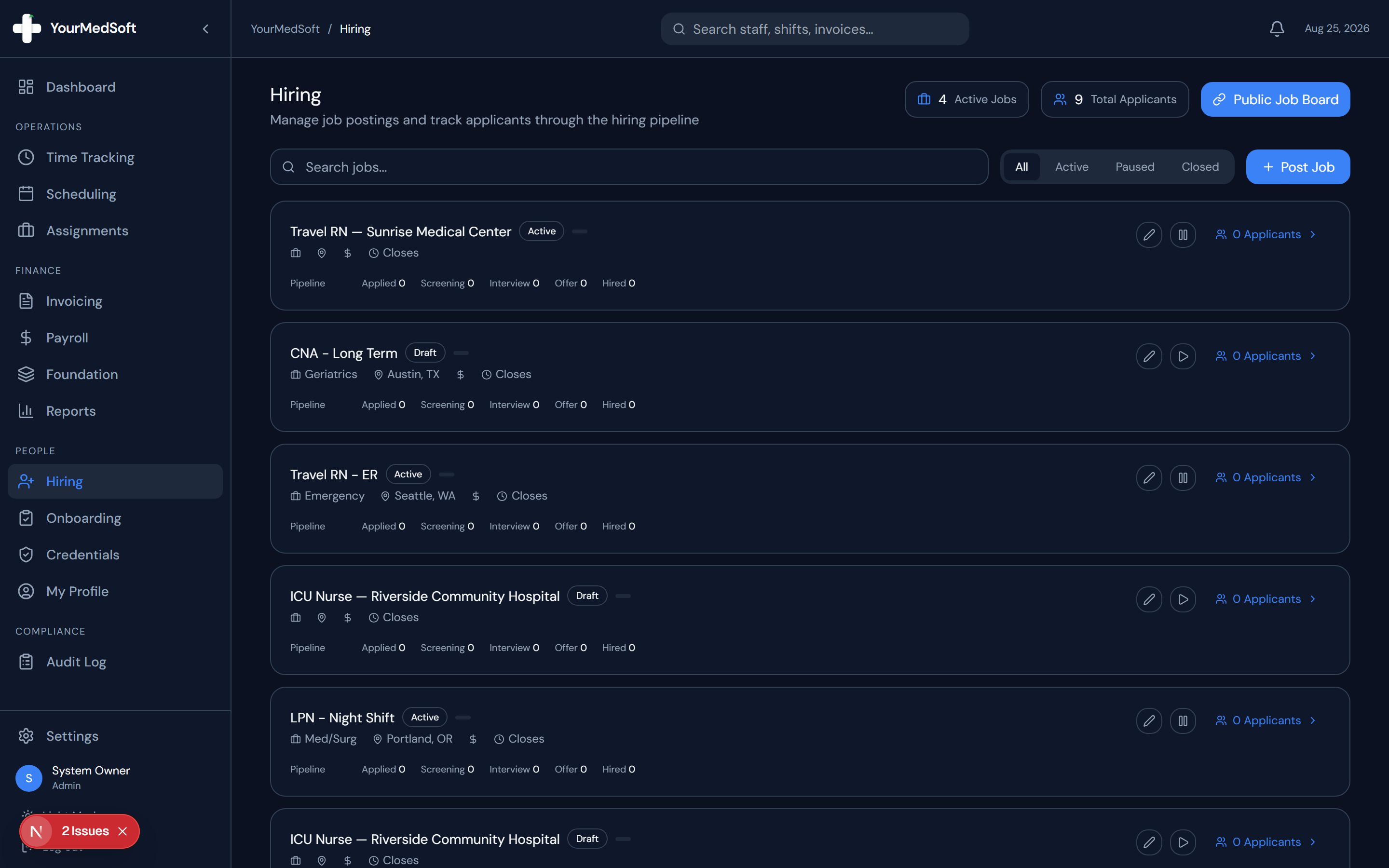
Job posting editor with department, rate ranges, and requirements builder.
Convert Applicants into Shift-Ready Nurses 4x Faster
Accelerate healthcare recruitment with self-service mobile onboarding, automated skills checklists, and 1-click credential verification.
Define Job Details
Enter the Job Title (e.g., "ICU Travel Nurse RN"), Clinical Department, Location, Job Type (Full-time, Contract, Per Diem), and Pay Range (e.g., "$85 - $95 / hr").
Add Description and Requirements
Provide an overview of the facility and unit expectations. Add bullet points for required certifications (e.g., "Active RN License, BLS, ACLS, 2+ years ICU experience").
Publish to Public Board
Set Status to "Active" and click "Create Job Posting". The job is immediately live on your agency’s public career portal.
Pro-Tips & Best Practices
- You can share your public job board link (yourmedsoft.com/[your-agency-id]/jobs) on LinkedIn, Indeed, and nurse job forums.
Troubleshooting & Operational Edge Cases
Issue: Assignment or Action Blocked
Operational Resolution: Verify that all prerequisites and credential requirements are satisfied before requesting an Admin override.
Issue: Notification or Alert Delay
Operational Resolution: Check the clinician profile contact details to ensure SMS and email alert preferences are enabled.
Frequently Asked Questions & Troubleshooting
Can I draft jobs before publishing?
Yes. Set the Status to "Draft" to save the posting internally until you are ready to publish.
Was this guide helpful?
Your feedback helps us continuously improve our documentation.
Recommended for Hiring & Job Board
Travel Nurse Assignment Contract Template
Deploy newly hired clinicians quickly with standardized assignment contracts and e-signatures.
Gross Margin & Spread Modeler
Evaluate candidate pay requirements against facility bill rates before extending offers.
Allied Health Staffing Software
Accelerate healthcare recruitment with self-service mobile credential onboarding.