How does YourMedSoft prevent and resolve double-booking conflicts?
Understand automated overlapping shift conflict detection and learn how to resolve double-booking errors across multiple facilities.
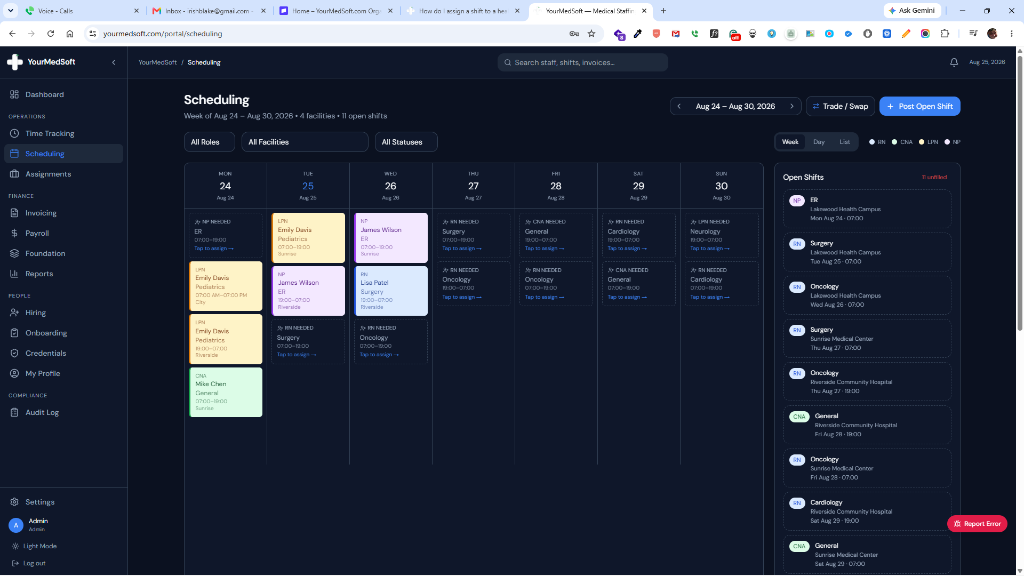
YourMedSoft prevents double-booking through an automated scheduling conflict engine. If a coordinator attempts to assign a clinician to a shift overlapping an existing confirmed shift, travel contract, or approved time-off request, the system triggers a hard lock modal showing the overlapping hours and facility names.
What You Need Before Starting
- You must be signed in with Coordinator or Admin privileges.
Clinical & Regulatory Compliance Standards
- Enforces state mandatory nursing rest period regulations between acute consecutive shifts.
Step-by-Step Instructions
Review the Conflict Alert Dialog
When an overlapping assignment is attempted, the system displays a red "Scheduling Conflict Detected" modal.
Inspect Conflicting Shift Times
Review the conflicting shift date, facility, start/end hours, and travel time buffer between facilities.
Tired of Manual Shift Texts & Phone Trees?
YourMedSoft broadcasts open shifts to hundreds of pre-vetted, compliant nurses in under 60 seconds. Eliminate double-booking and fill vacancies instantly.
Choose Resolution Path
Select either "Cancel Current Assignment" to keep the original shift, or "Reassign Existing Shift" to move the clinician to the higher-priority placement.
Confirm Schedule Update
Click Confirm. The replaced shift is returned to the open shift queue for rapid broadcast to replacement staff.
Pro-Tips & Best Practices
- The conflict engine includes a configurable travel buffer (e.g., 60 minutes) between shifts at different hospital campuses.
Troubleshooting & Operational Edge Cases
Issue: Shift shows as conflicting even though previous shift ended
Operational Resolution: Check whether the inter-facility travel buffer setting exceeds the time window between the two shifts.
Frequently Asked Questions & Troubleshooting
Can an administrator override a double-booking conflict?
Only if the shifts do not overlap chronologically (for instance, back-to-back 8-hour shifts within legal rest period limits). Chronologically overlapping shifts cannot be assigned to the same worker.
Was this guide helpful?
Your feedback helps us continuously improve our documentation.
Recommended for Shift Scheduling
Travel Nurse Assignment Contract Template
Free 13-week assignment agreement with guaranteed hours clauses and hospital floating policies.
Gross Margin & Spread Modeler
Simulate clinician bill-to-pay spreads, overtime multipliers, and statutory employer payroll burden.
Per Diem Nurse Registry Platform
Broadcast open shifts, eliminate callout delays, and enforce automated credential gates.