
How do I track contract renewals and upcoming expirations?
Monitor 30-day placement renewal pipelines across travel nurse, locums, and therapist contracts to prevent lapse in coverage.
In YourMedSoft, to track contract renewals and upcoming expirations requires navigating to Assignments & Contracts in the portal, selecting the appropriate record or facility, and executing the validated workflow steps. The platform continuously validates clinical credentials, checks compliance matrices, and logs all actions to an immutable audit trail.
What You Need Before Starting
- Active assignments with defined end dates.
Clinical & Regulatory Compliance Standards
- Conforms to The Joint Commission (HCSS) clinical staffing standards.
- Maintains HIPAA-compliant data encryption and audit logging.
- Enforces state Board of Nursing licensure and clinical scope-of-practice rules.
Step-by-Step Instructions
View Dashboard Renewal Widgets
Open the Operations Dashboard. The "Active Assignments" widget displays the total count of contracts ending within the next 30 days.
Filter the Assignments Table
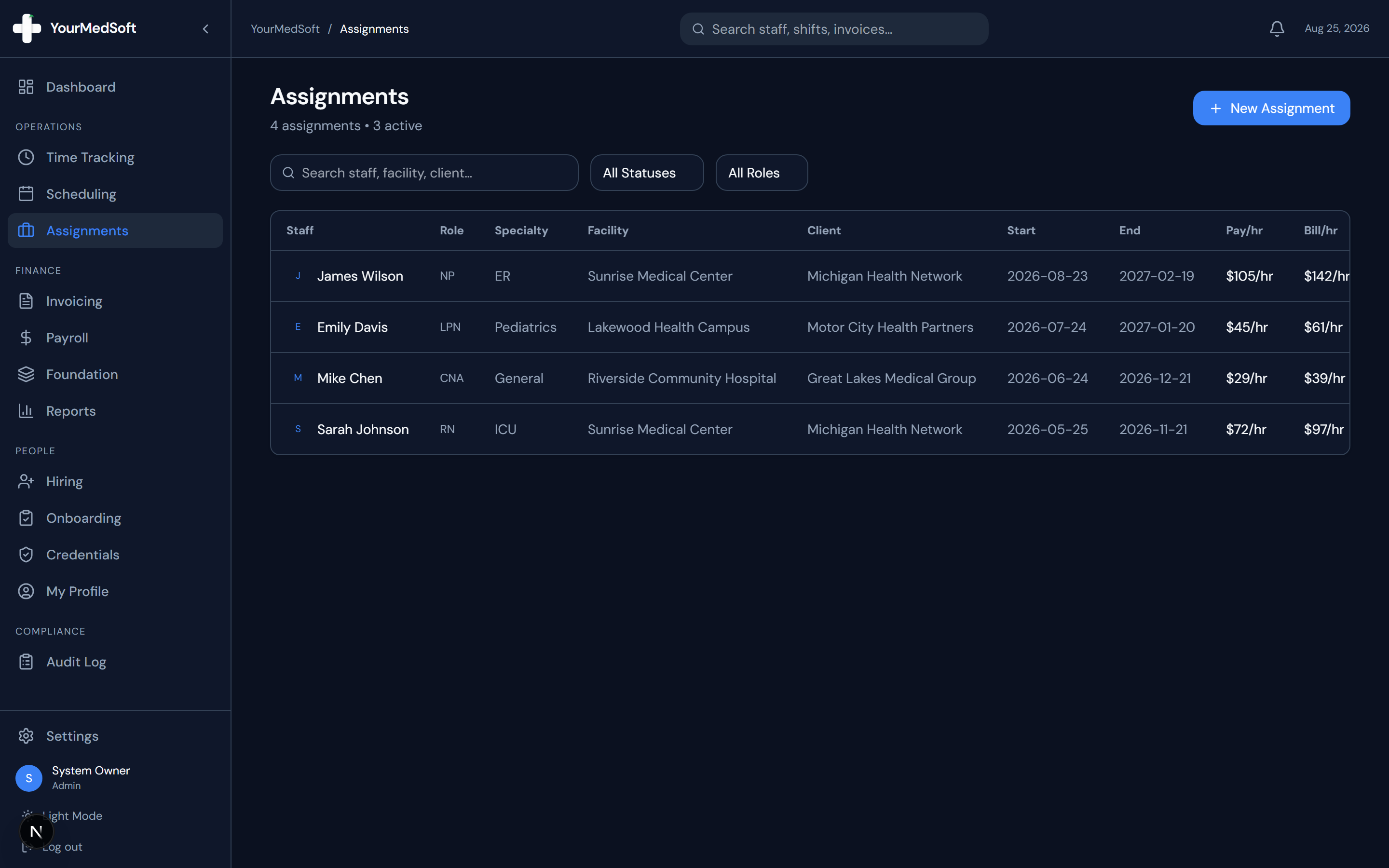
Go to the Assignments page. Look for entries highlighted with a yellow alert triangle next to their End Date.
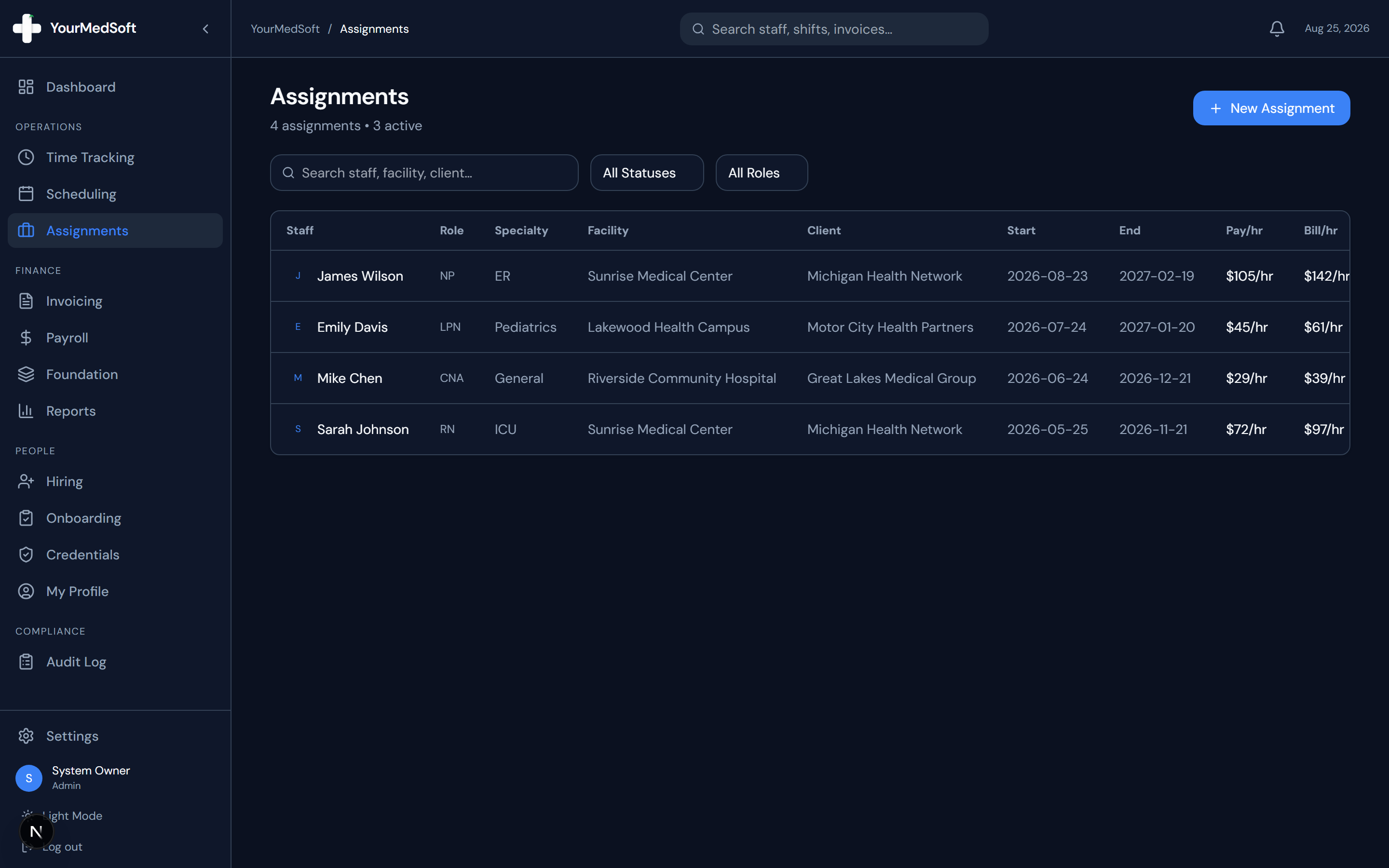
Contract placement dashboard with expiration countdown and renewal trackers.
Automate Your Healthcare Staffing Operations
YourMedSoft unifies scheduling, GPS time tracking, credentialing, and facility invoicing into one modern platform for healthcare agencies.
Edit and Extend the Contract
Click "Edit" on the assignment row, update the End Date to the new agreed extension date, and click "Update Assignment".
Pro-Tips & Best Practices
- Use the search bar on the Assignments page to quickly search by clinician name, facility, or client company.
Troubleshooting & Operational Edge Cases
Issue: Assignment or Action Blocked
Operational Resolution: Verify that all prerequisites and credential requirements are satisfied before requesting an Admin override.
Issue: Notification or Alert Delay
Operational Resolution: Check the clinician profile contact details to ensure SMS and email alert preferences are enabled.
Frequently Asked Questions & Troubleshooting
What happens if a contract reaches its end date without extension?
The contract status automatically flags as completed, and any new shifts posted after the end date will alert coordinators to create a new placement.
Was this guide helpful?
Your feedback helps us continuously improve our documentation.
Recommended for Assignments & Contracts
13-Week Travel Nurse Contract Template
Attorney-reviewed travel contract with GSA lodging per diems, travel stipends, and cancellation rules.
41+ State eNLC Compact License Map
Interactive map checking multi-state nursing licensure privileges and state-by-state reciprocity.
Travel Nursing Agency Software
End-to-end travel staffing platform for milestone extensions, stipends, and hospital contracts.