
How do I clock in, take breaks, and clock out with a supervisor signature?
Step-by-step instructions for clinical staff to accurately record shift hours, track meal breaks, and obtain facility supervisor sign-off.
In YourMedSoft, to clock in, take breaks, and clock out with a supervisor signature requires navigating to Time Tracking & Verification in the portal, selecting the appropriate record or facility, and executing the validated workflow steps. The platform continuously validates clinical credentials, checks compliance matrices, and logs all actions to an immutable audit trail.
What You Need Before Starting
- Clinician must be logged into their YourMedSoft account on desktop or mobile device.
Clinical & Regulatory Compliance Standards
- Conforms to The Joint Commission (HCSS) clinical staffing standards.
- Maintains HIPAA-compliant data encryption and audit logging.
- Enforces state Board of Nursing licensure and clinical scope-of-practice rules.
Step-by-Step Instructions
Start Shift (Clock In)
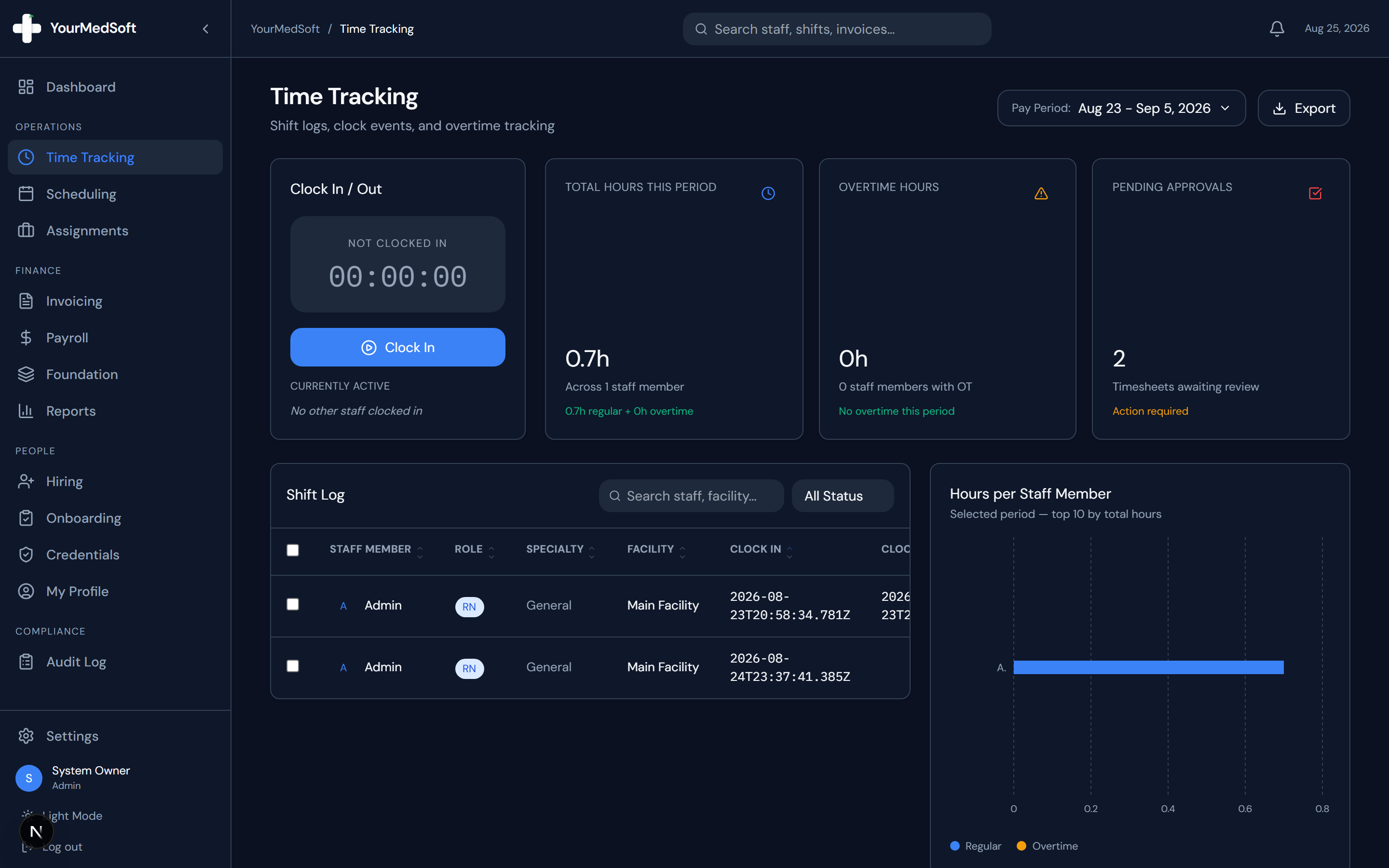
Navigate to Time Tracking in the sidebar. In the "Clock In / Out" widget, tap the green "Clock In" button. A live timer begins tracking your shift duration immediately.
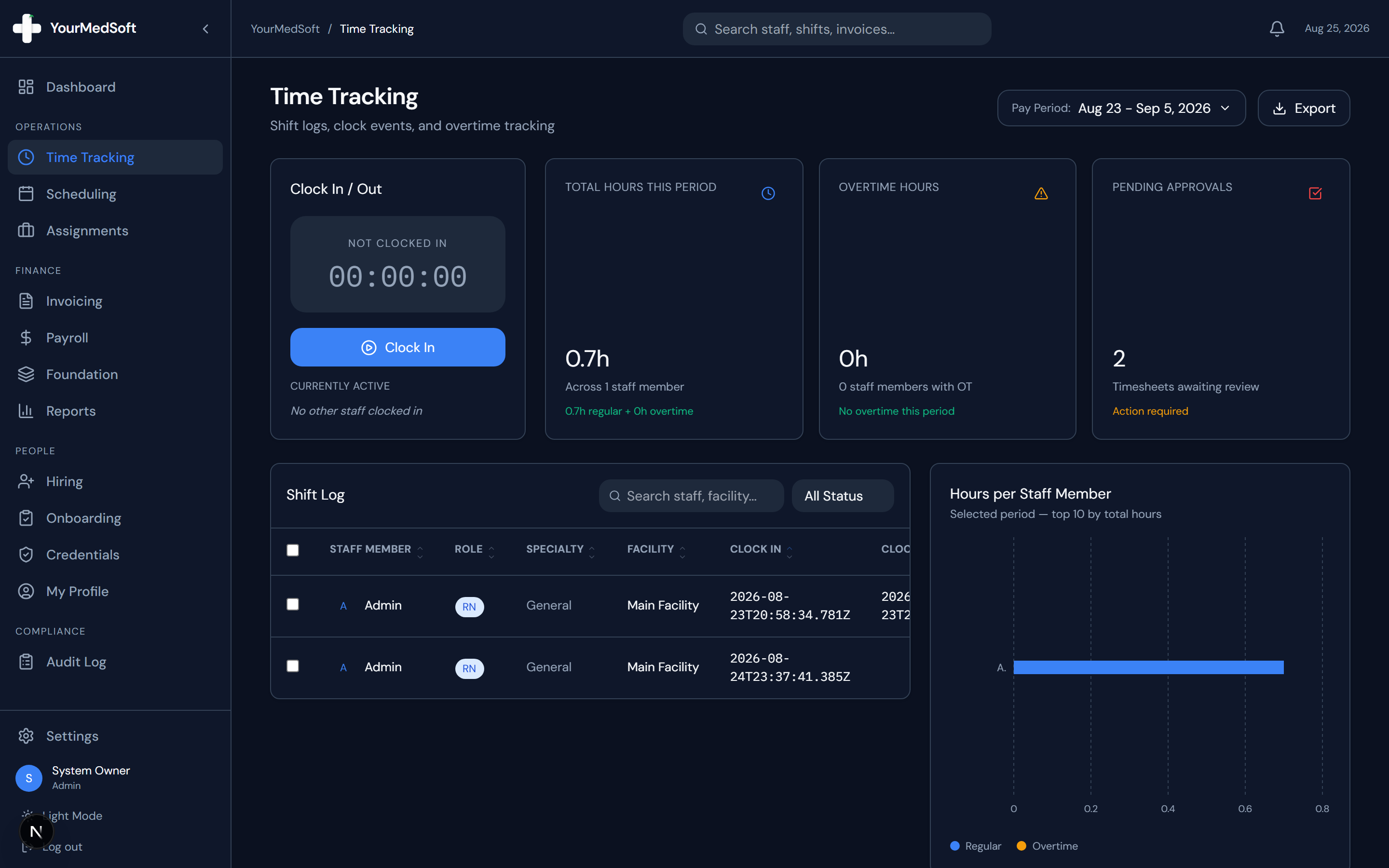
Clinician mobile-ready time tracking panel with live timer and break controls.
Recording a Meal or Rest Break
When stepping away for lunch or break, click "Break". The timer shifts to an amber "On Break" status. When returning, tap "End Break" to resume shift tracking and log break duration.
100% Cures Act EVV & GPS Mobile Punches
Eliminate paper timesheets and supervisor disputes. YourMedSoft captures GPS-verified mobile punches and digital signatures at bedside.
Ending Shift (Clock Out)
At the end of your shift, click the red "Clock Out" button. This triggers the digital supervisor sign-off window.
Facility Supervisor E-Signature
Present the screen to the on-duty Charge Nurse or Facility Supervisor. The supervisor signs directly on the touch pad, types their printed name, and clicks "Confirm Sign-Off".
Reviewing Computed Hours
Your shift duration, regular hours (up to 8 hours), overtime hours, and break deductions are automatically calculated and submitted for administrative approval.
Pro-Tips & Best Practices
- If you refresh your browser or close the app while clocked in, your session automatically restores seamlessly when you reopen the page.
- Always ensure the supervisor types their full name above their digital signature for billing compliance.
Troubleshooting & Operational Edge Cases
Issue: Assignment or Action Blocked
Operational Resolution: Verify that all prerequisites and credential requirements are satisfied before requesting an Admin override.
Issue: Notification or Alert Delay
Operational Resolution: Check the clinician profile contact details to ensure SMS and email alert preferences are enabled.
Frequently Asked Questions & Troubleshooting
What if the supervisor is unavailable to sign when I leave?
You can complete your clock-out. The timesheet will be marked as "Pending Review", and an agency coordinator can manually verify the hours with the facility.
Was this guide helpful?
Your feedback helps us continuously improve our documentation.
Recommended for Time Tracking & Verification
Nurse Meal Break Waiver & Attestation Form
State-compliant voluntary 30-minute meal break waiver form for 8 to 12-hour hospital shifts.
Gross Margin & Spread Modeler
Model regular vs. overtime bill-to-pay spreads and protect agency profitability.
Home Health & Hospice EVV Platform
CMS Cures Act-compliant GPS mobile time verification and electronic patient signatures.