
How do I review, edit, and approve staff timesheets?
Audit completed shifts, review supervisor signatures, adjust missed punches, resolve overlapping time entries, and approve timesheets in bulk.
In YourMedSoft, to review, edit, and approve staff timesheets requires navigating to Time Tracking & Verification in the portal, selecting the appropriate record or facility, and executing the validated workflow steps. The platform continuously validates clinical credentials, checks compliance matrices, and logs all actions to an immutable audit trail.
What You Need Before Starting
- Staff must have recorded clock-in and clock-out entries.
Clinical & Regulatory Compliance Standards
- Conforms to The Joint Commission (HCSS) clinical staffing standards.
- Maintains HIPAA-compliant data encryption and audit logging.
- Enforces state Board of Nursing licensure and clinical scope-of-practice rules.
Step-by-Step Instructions
Open the Shift Log
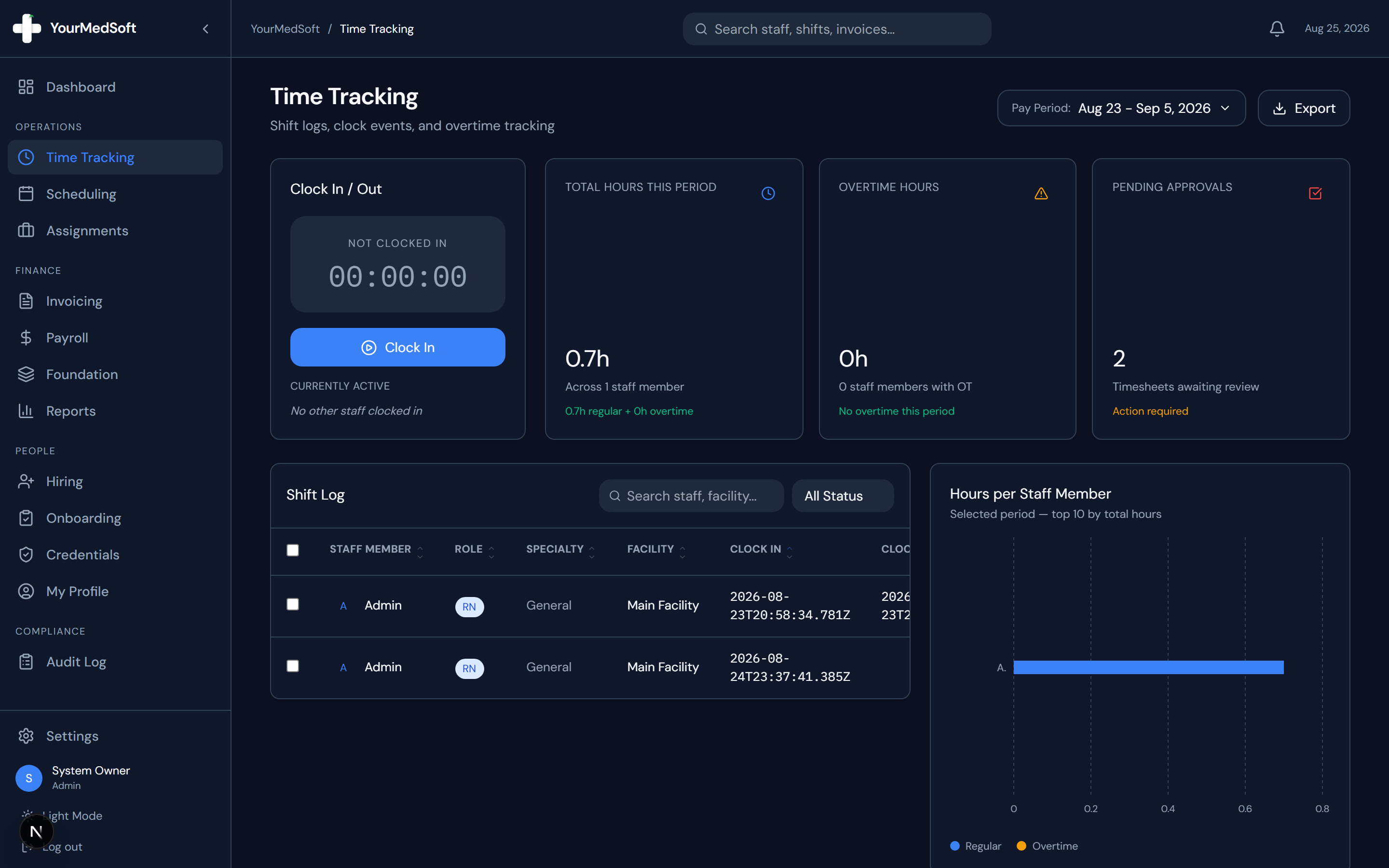
Go to Time Tracking and select the active pay period from the header dropdown to display all completed shifts.
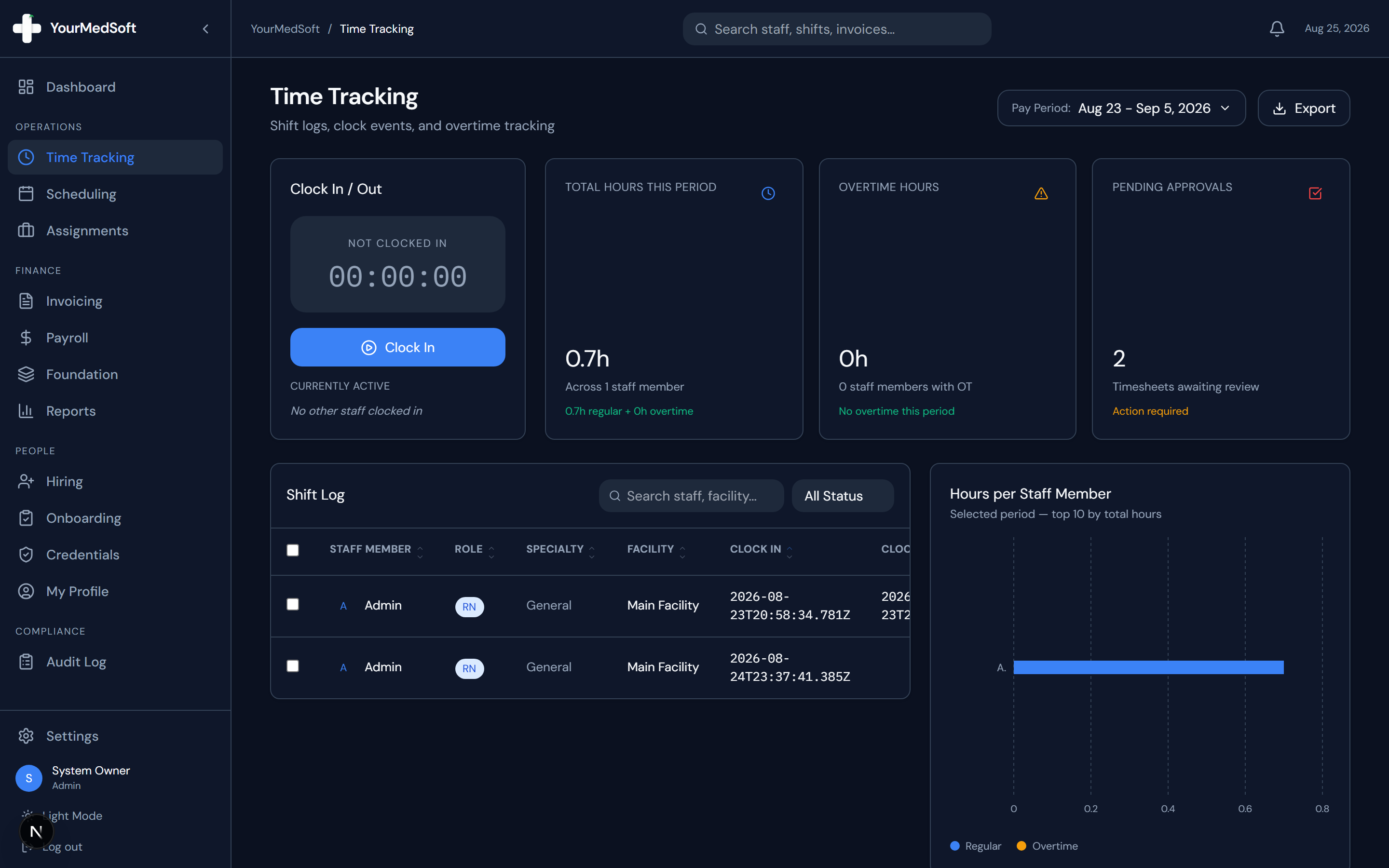
Timesheet verification log showing GPS clock punches, supervisor signature status, and bulk approval actions.
Inspect Shift Details and Signatures
Click the "Eye" icon on any timesheet row. The verification modal displays exact ISO timestamps, calculated regular vs. overtime hours, and the digital facility signature.
100% Cures Act EVV & GPS Mobile Punches
Eliminate paper timesheets and supervisor disputes. YourMedSoft captures GPS-verified mobile punches and digital signatures at bedside.
Check for Overlap Alerts
If a staff member logged multiple conflicting shifts across facilities, the modal displays a red "Overlap Detected" alert detailing the duplicate records.
Edit Hours if Necessary
If a worker forgot to end a break or had a missed punch, coordinators can adjust the Regular Hours, OT Hours, or Break Minutes directly in the modal.
Single Approval or Rejection
Click "Approve" to mark the timesheet ready for billing and payroll, or click "Reject" to return it for revision.
Bulk Approval Shortcut
Select the checkboxes next to multiple clean timesheets in the table and click the "Approve All" button in the top action bar.
Pro-Tips & Best Practices
- Approved timesheets instantly unlock for inclusion in the Invoicing builder and Payroll calculation engines.
- Missed punch shifts are flagged with red warning text so they can be prioritized for verification.
Troubleshooting & Operational Edge Cases
Issue: Assignment or Action Blocked
Operational Resolution: Verify that all prerequisites and credential requirements are satisfied before requesting an Admin override.
Issue: Notification or Alert Delay
Operational Resolution: Check the clinician profile contact details to ensure SMS and email alert preferences are enabled.
Frequently Asked Questions & Troubleshooting
Can I export filtered timesheets to Excel?
Yes. Select the rows you wish to export and click "Export Selected" in the bulk action bar.
Was this guide helpful?
Your feedback helps us continuously improve our documentation.
Recommended for Time Tracking & Verification
Nurse Meal Break Waiver & Attestation Form
State-compliant voluntary 30-minute meal break waiver form for 8 to 12-hour hospital shifts.
Gross Margin & Spread Modeler
Model regular vs. overtime bill-to-pay spreads and protect agency profitability.
Home Health & Hospice EVV Platform
CMS Cures Act-compliant GPS mobile time verification and electronic patient signatures.