
How do I request a shift swap or trade with another clinician?
Coordinate peer-to-peer shift swaps or release assigned shifts to the open roster pool with automated supervisor sign-off.
In YourMedSoft, to request a shift swap or trade with another clinician requires navigating to Shift Scheduling in the portal, selecting the appropriate record or facility, and executing the validated workflow steps. The platform continuously validates clinical credentials, checks compliance matrices, and logs all actions to an immutable audit trail.
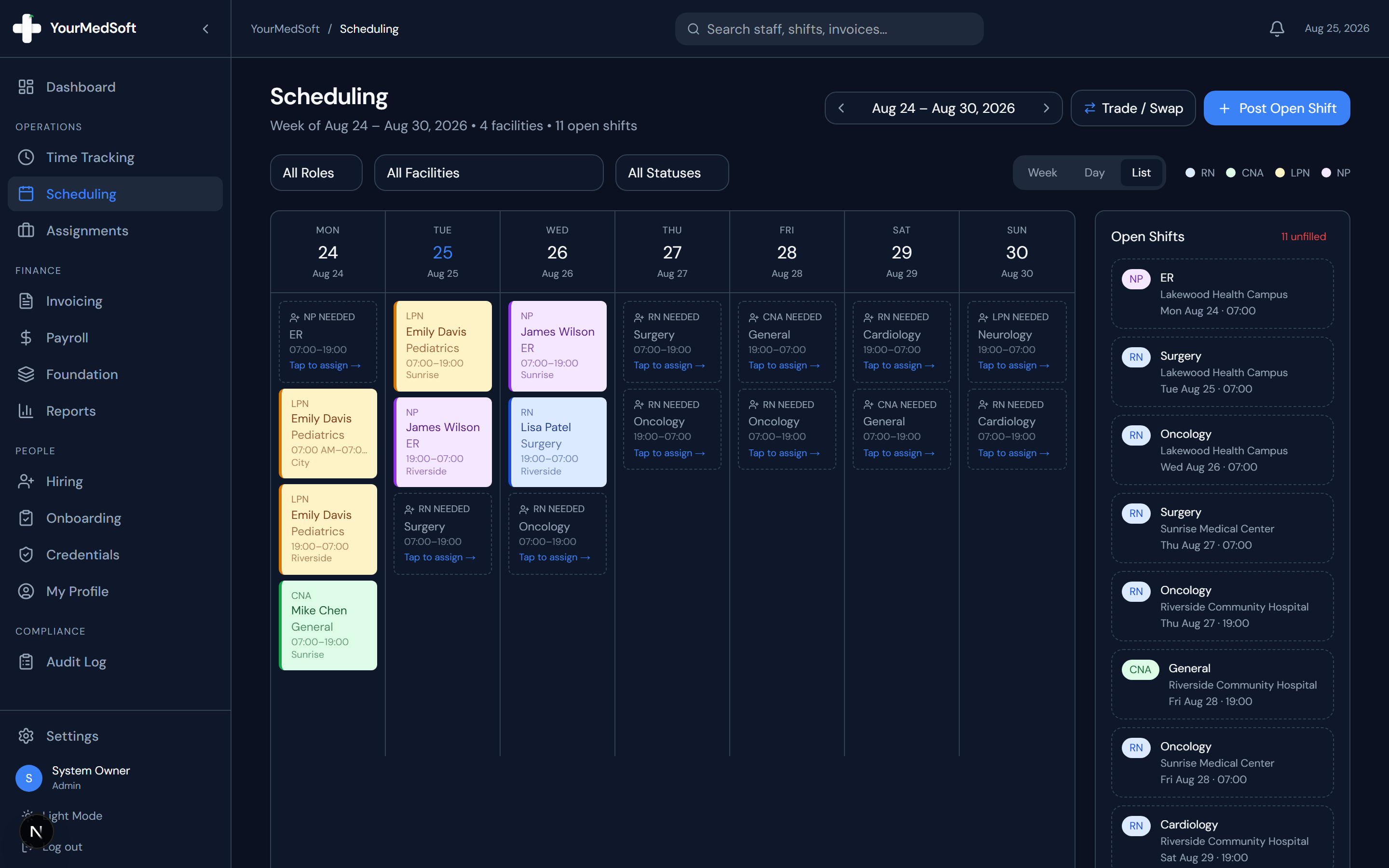
What You Need Before Starting
- An assigned upcoming shift on the master schedule.
- Active qualified clinicians available for shift replacement.
Clinical & Regulatory Compliance Standards
- Conforms to The Joint Commission (HCSS) clinical staffing standards.
- Maintains HIPAA-compliant data encryption and audit logging.
- Enforces state Board of Nursing licensure and clinical scope-of-practice rules.
Step-by-Step Instructions
Open the Shift Trade Modal
Navigate to the Scheduling page or your clinician schedule portal and click the "Trade / Swap" button in the upper action bar.
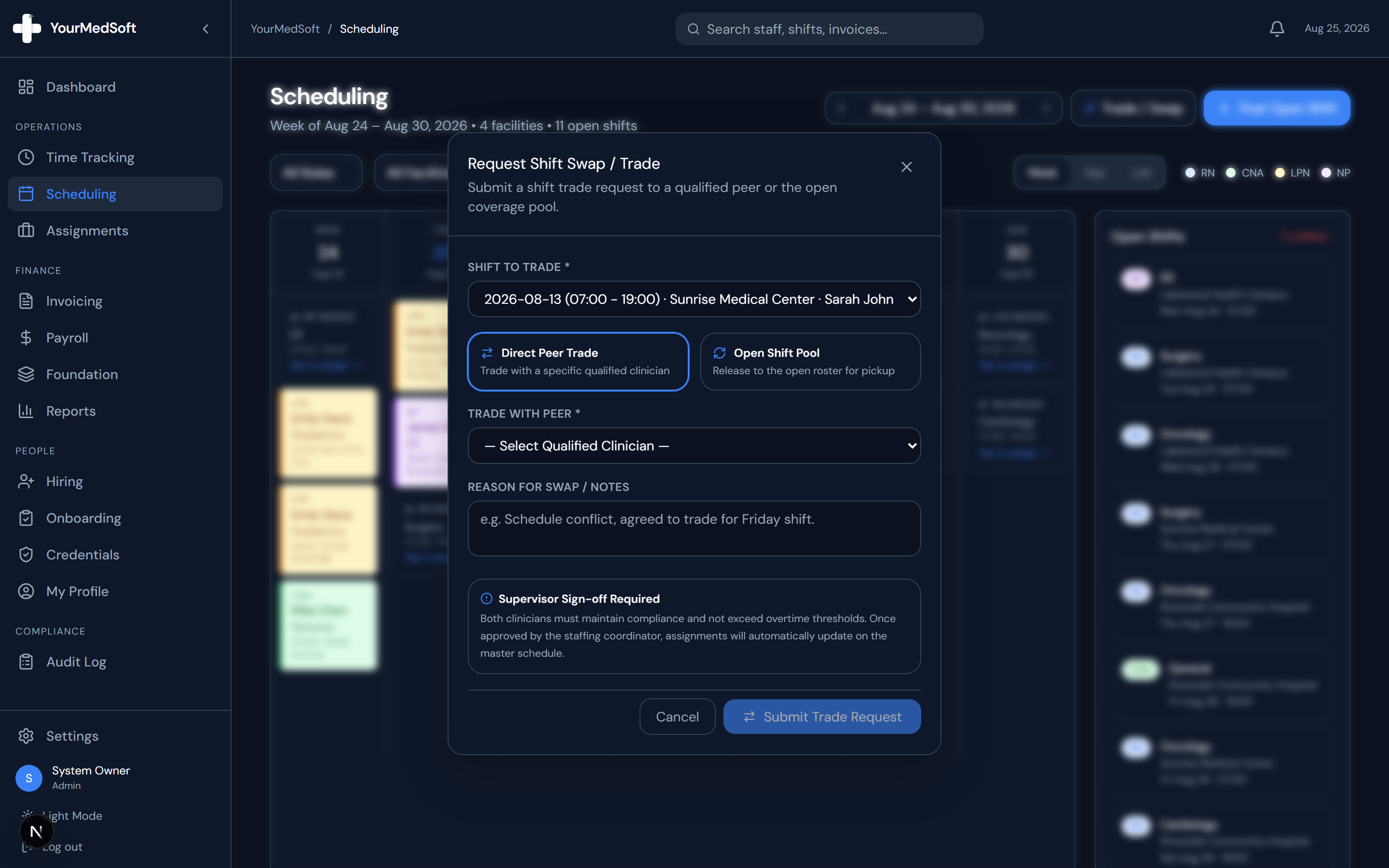
Shift Trade and Swap modal supporting Direct Peer Trades and Open Pool giveaways.
Choose the Shift to Trade
Select the specific assigned upcoming shift from the dropdown list showing the date, facility, and shift time.
Tired of Manual Shift Texts & Phone Trees?
YourMedSoft broadcasts open shifts to hundreds of pre-vetted, compliant nurses in under 60 seconds. Eliminate double-booking and fill vacancies instantly.
Select Trade Model
Choose between "Direct Peer Trade" (swap with a specific qualified clinician of the same specialty) or "Open Shift Pool" (release to all qualified workers for pickup).
Provide Reason and Notes
Enter a concise explanation for the swap (e.g., family commitment, agreed reciprocation for Friday shift).
Submit for Supervisor Review
Click "Submit Trade Request". Schedulers and staffing coordinators receive an immediate alert to review credentials, verify overtime limits, and approve the swap.
Pro-Tips & Best Practices
- Direct peer swaps automatically filter recipient candidates to matching active clinical credentials (e.g. ICU RN to ICU RN).
- Once the coordinator approves the trade, both clinicians receive notification alerts and schedule changes update instantaneously.
Troubleshooting & Operational Edge Cases
Issue: Assignment or Action Blocked
Operational Resolution: Verify that all prerequisites and credential requirements are satisfied before requesting an Admin override.
Issue: Notification or Alert Delay
Operational Resolution: Check the clinician profile contact details to ensure SMS and email alert preferences are enabled.
Frequently Asked Questions & Troubleshooting
What happens to billing and payroll when a shift is traded?
The new clinician is assigned to the shift in real time, and all clock-in timestamps and timesheet records automatically route to the replacement worker.
Can coordinators initiate shift trades on behalf of nurses?
Yes. Schedulers and administrators have full permission to launch the Trade / Swap modal to reassign shifts smoothly.
Was this guide helpful?
Your feedback helps us continuously improve our documentation.
Recommended for Shift Scheduling
Travel Nurse Assignment Contract Template
Free 13-week assignment agreement with guaranteed hours clauses and hospital floating policies.
Gross Margin & Spread Modeler
Simulate clinician bill-to-pay spreads, overtime multipliers, and statutory employer payroll burden.
Per Diem Nurse Registry Platform
Broadcast open shifts, eliminate callout delays, and enforce automated credential gates.